> ## Documentation Index
> Fetch the complete documentation index at: https://docs.plazen.org/llms.txt
> Use this file to discover all available pages before exploring further.
# Quickstart
> Set up a local copy of Plazen
## Get started in three steps
### Step 1: Set up your own fork
Go to [our repository](https://github.com/plazen/plazen) and fork the repository
 `git clone https://github.com//plazen.git`
### Step 2: Set up the local enviroment.
We use Supabase for our database and Auth.
`git clone https://github.com//plazen.git`
### Step 2: Set up the local enviroment.
We use Supabase for our database and Auth.
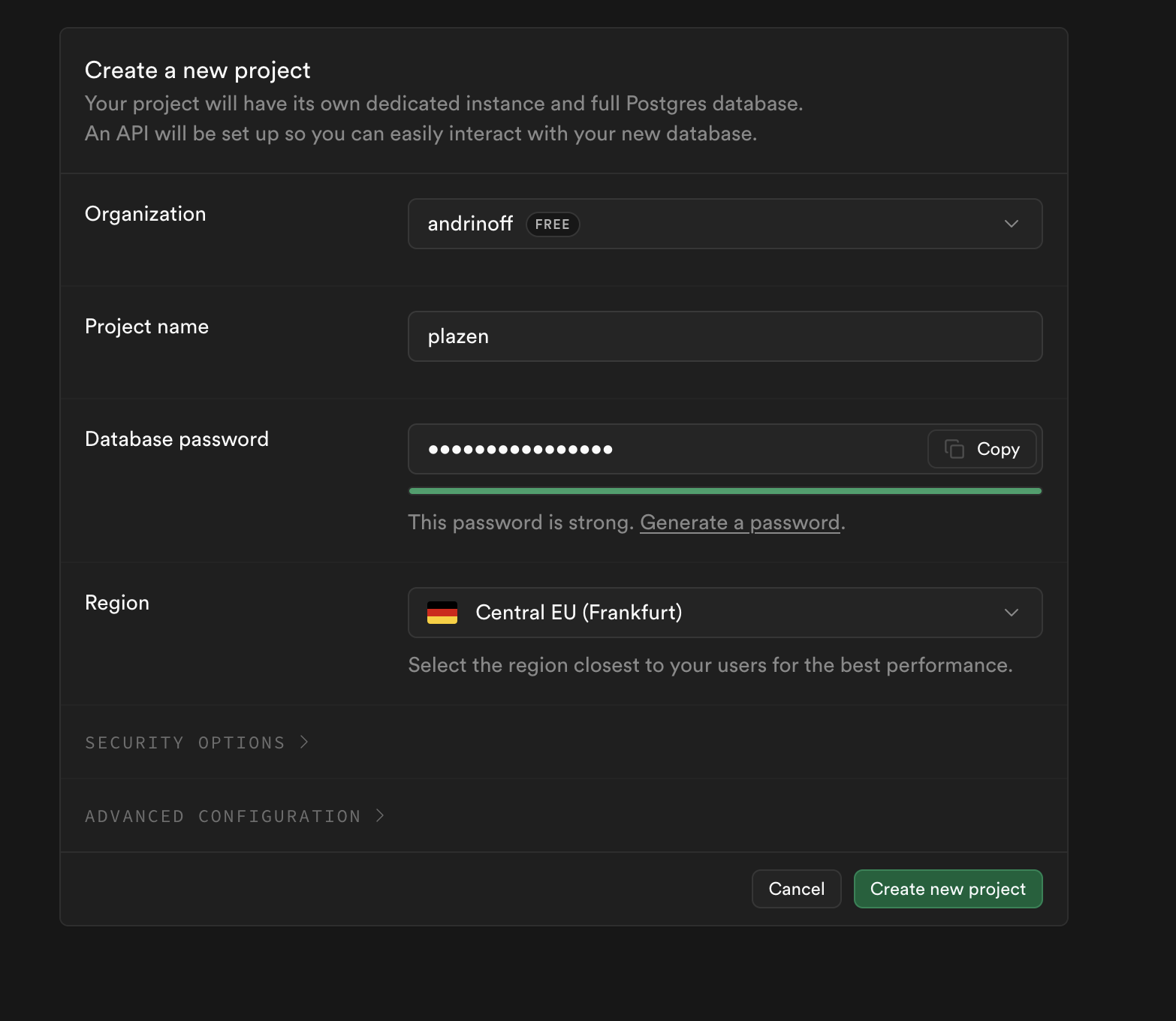 \
To create a new project:\
Type in the name and a strong password (will be needed later)
To set up the project, you need to configure your environment secrets
1. Copy the example environment file
```
cp env.example .env
```
2. Fill in all of your secrets
Follow the full guide [here](/dev/full-setup), if you don't know how to complete this part!
### Step 3: Start the project!
Use any hosting service (e.g. we use vercel) and start the project!\
\
For local use:
```
npm run dev
```
## Next steps
Now that you have your local copy, explore these key features:
**Need help?** Join our [community](https://github.com/plazen/plazen/discussions), or contact [support](https://plazen.org/support)
\
To create a new project:\
Type in the name and a strong password (will be needed later)
To set up the project, you need to configure your environment secrets
1. Copy the example environment file
```
cp env.example .env
```
2. Fill in all of your secrets
Follow the full guide [here](/dev/full-setup), if you don't know how to complete this part!
### Step 3: Start the project!
Use any hosting service (e.g. we use vercel) and start the project!\
\
For local use:
```
npm run dev
```
## Next steps
Now that you have your local copy, explore these key features:
**Need help?** Join our [community](https://github.com/plazen/plazen/discussions), or contact [support](https://plazen.org/support)